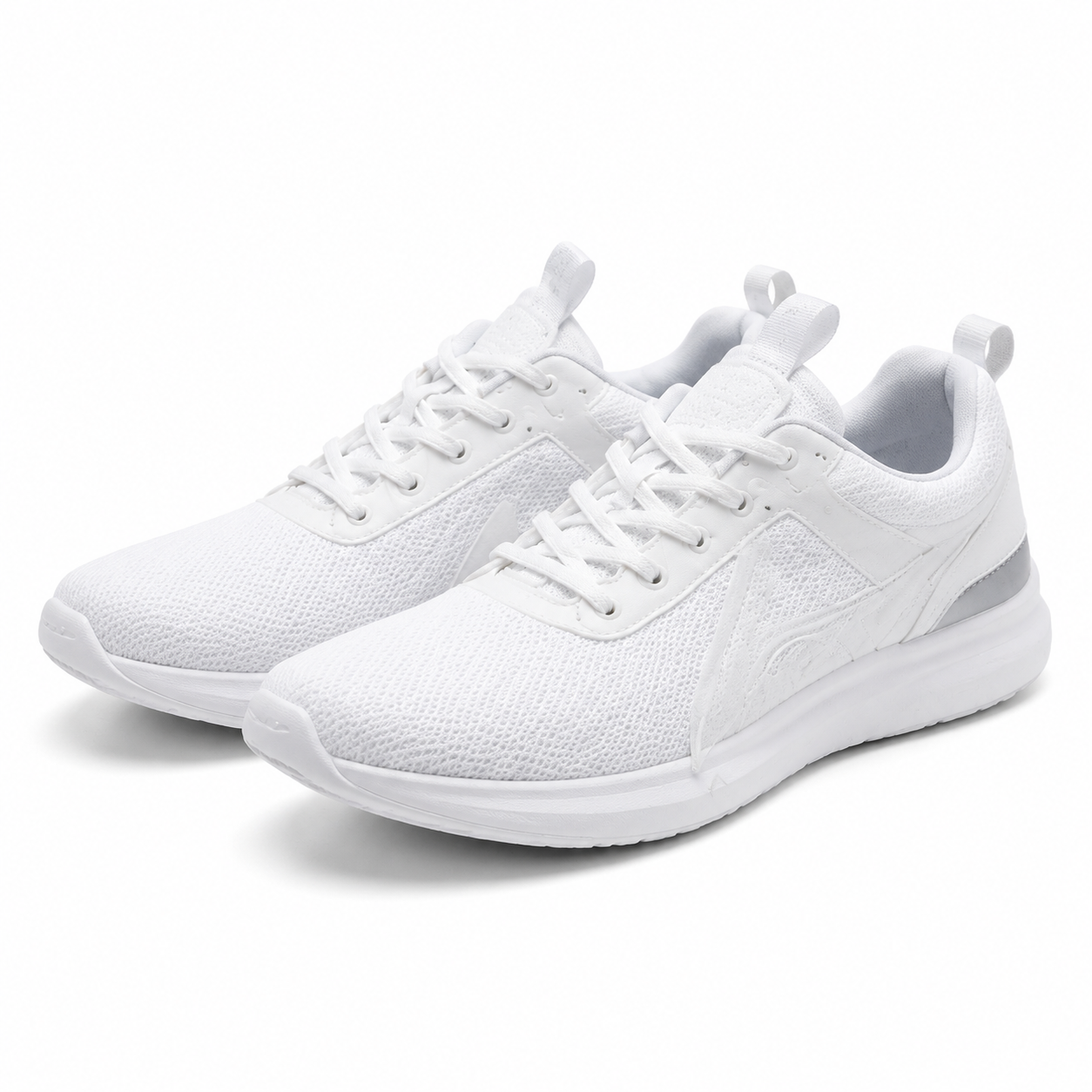
Amazon's product image requirements come down to five numbers: the main image needs a pure white background (RGB 255, 255, 255), the product must fill at least 85% of the frame, the longest side must be at least 1,000 pixels (aim for 1,600+ so zoom works), the file must be JPEG, PNG, TIFF or GIF in sRGB, and the main image must carry no text, logos, watermarks, borders or props. Get those right and your listing goes live. Get one wrong and Amazon suppresses it.
This guide covers each rule, the ones sellers break most often, and how to fix an existing photo without a studio. It is written for Amazon sellers preparing their first listing or auditing a catalogue that keeps getting flagged.
Verify before you upload. Amazon updates its image standards without notice, and category- specific rules exist (clothing, shoes, books and media all differ). The figures here reflect the requirements as widely documented in August 2026. The current rules in Seller Central are always the authority.
The specification at a glance
| Requirement | Value |
|---|---|
| Minimum longest side | 1,000 px — required for zoom |
| Recommended longest side | 1,600 px+; 2,000–3,000 px is the practical sweet spot |
| Maximum dimension | 10,000 px on either side |
| Maximum file size | 10 MB |
| Accepted formats | JPEG (.jpg), PNG, TIFF, GIF — no animated GIFs |
| Colour profile | sRGB (Amazon converts other profiles) |
| Aspect ratio | 1:1 square strongly recommended for the main image |
| Main image background | Pure white, RGB 255, 255, 255 |
| Product fill | 85% or more of the frame |
| Prohibited on the main image | text, logos, watermarks, inset images, borders, props, mannequins in most categories |
| Image slots | typically up to 9 per listing; around 7 display by default on desktop |
Two of these carry more weight than the rest.
1,000 pixels is the zoom threshold. Below it, Amazon's zoom-on-hover does not activate. Shoppers cannot inspect texture, stitching or finish. Meeting the bare minimum is not the goal — 1,600 pixels and above gives real zoom detail on modern displays.
Pure white means pure white. Not off-white. Not the light grey your phone captured on a cloudy day. RGB 255, 255, 255 exactly, across the whole background.
Main image rules, in detail
The main image — slot 1, the one shoppers see in search results — has the strictest rules on Amazon.
Pure white background
The background must be RGB 255, 255, 255. A shot taken on white paper is almost never actually white: shadow, ambient colour cast and camera exposure all drag it towards grey or blue.
Two ways to fix this:
- Remove the background and replace it. Cut the product out, then place it on a true white canvas. Our free background remover handles the cutout; the white background workspace preset does the cutout and the white canvas in one pass.
- Level the background in an editor. Push the white point until the background clips to 255. This is faster but risks blowing out light-coloured parts of the product itself.
For a walkthrough aimed specifically at this rule, see our guide to Amazon white background product photos.
Product fills at least 85% of the frame
Amazon wants the product to dominate the image. Roughly 15% margin is the ceiling, not a target.
The most common mistake is the opposite of what people expect. Sellers crop too loosely, leaving a small product floating in white space. In a search grid at thumbnail size, that product looks smaller and cheaper than the competition.
Crop tight. Leave a small, even margin. Use our crop tool if you need to do this by hand.
Nothing but the product
The main image cannot include:
- Text, taglines or callouts
- Logos or brand marks that are not physically on the product
- Watermarks of any kind
- Borders, frames or coloured edges
- Props, packaging that is not part of the product, or accessories not included in the sale
- Placeholder or "image coming soon" graphics
Watermarks matter for AI-generated images specifically. Many AI product photo tools watermark their free output — including ours. A watermarked file cannot be an Amazon main image. If you are testing a tool on a free tier, treat the output as a draft.
Square, and in focus
A 1:1 square is strongly recommended for the main image. Amazon's grid is square; non-square images get letterboxed or awkwardly cropped.
The image must be in focus, professionally lit, and show the product from a recognisable angle.
Additional image slots (2 through 9)
The rules loosen considerably after slot 1. Amazon allows lifestyle photography, infographics, size charts, close-ups and in-use shots in the additional slots.
| Slot | Typical use |
|---|---|
| 1 | Main image — white background, product only |
| 2 | Product in use or in context |
| 3 | Close-up of a key feature or material |
| 4 | Scale reference — product beside a common object |
| 5 | Infographic — dimensions, specs, what's in the box |
| 6 | Second lifestyle angle |
| 7 | Packaging or unboxing |
| 8–9 | Variants, colourways, comparison chart |
Slots beyond about seven do not display by default on desktop, so front-load the images that sell.
The same technical specs — format, sRGB, 1,000 px minimum, 10 MB cap — still apply. Only the content rules relax.
The five mistakes that get listings suppressed
1. Off-white background. The single most common failure. Your background looks white on screen because your eye adapts to it. Sample the actual pixel values before you upload.
2. Under 1,000 pixels. Phone screenshots, images pulled from a supplier's website, and files compressed by a messaging app all land here. Check the dimensions of the file you are actually uploading, not the one you edited.
3. A watermark you forgot about. Free-tier exports from AI tools, stock photo previews, and supplier photos with a factory logo all carry marks that violate the main-image rule.
4. Product too small in frame. Below 85% fill, the listing looks amateur and may be flagged.
5. Wrong colour profile. A photo edited in Adobe RGB or CMYK will shift colour when Amazon converts it to sRGB. Export as sRGB from the start.
How to prepare a compliant image without a studio
You do not need a photographer for a white-background main image. You need one clean source photo and three steps.
Step 1 — shoot a usable source. Natural light near a window, product on a plain surface, phone held steady. Avoid harsh direct sun and coloured surfaces that cast colour onto the product.
Step 2 — cut out and place on white. Use the white background workspace preset, which is built for exactly this: it removes the original background and renders the product on a pure white canvas at a 1:1 Amazon aspect ratio. The Amazon white background guide walks through it.
Step 3 — get to the right pixel size. Most AI product photo tools, ours included, output around 1,024 pixels. That clears Amazon's 1,000 px minimum but sits below the 1,600 px+ you want for good zoom. Run the file through our free AI upscaler to get there, then check the result with the marketplace image checker before uploading.
Being straight about this: the upscale step is a real extra step. Some paid tools output 4K natively and skip it. If you process hundreds of SKUs a month, that difference adds up, and paying for higher native resolution may be worth it.
Step 4 — check the file size. Amazon caps images at 10 MB. A 3,000 px PNG can exceed that. Use our compressor or export as JPEG to get under the cap without visible quality loss.
A pre-upload checklist
Run every main image through this before it goes live:
- Background sampled and confirmed at RGB 255, 255, 255
- Product fills 85% or more of the frame
- Longest side is 1,600 px or more (1,000 px absolute minimum)
- Square 1:1 aspect ratio
- sRGB colour profile
- JPEG, PNG, TIFF or non-animated GIF
- File under 10 MB
- No text, logo, watermark, border or prop anywhere in frame
- Sharp and correctly exposed at 100% zoom
- Category-specific rules checked in Seller Central
That last line is not padding. Clothing, shoes, jewellery, books and media each carry extra requirements — model shots, specific angles, cover-only rules. Confirm yours in Seller Central.
Etsy and Shopify are not the same
If you list on more than one platform, do not reuse the Amazon file blindly.
| Platform | Typical main image shape | Background rule |
|---|---|---|
| Amazon | 1:1 square | Pure white required on main image |
| Etsy | 4:3 landscape recommended | No white requirement; lifestyle encouraged |
| Shopify | 1:1 square common | Your storefront, your rules |
Etsy in particular rewards a warmer, more styled look than Amazon permits. Our Etsy product photo maker is built around the 4:3 shape and a more lifestyle-oriented treatment. Regenerating for each platform beats stretching one file to fit everywhere.
FAQ
What size should Amazon product images be? The longest side must be at least 1,000 pixels for zoom to activate, and the maximum is 10,000 pixels on either side. In practice, aim for 1,600 pixels or more; 2,000–3,000 pixels on the longest side is the common recommendation for sharp zoom on high-resolution screens. Use a 1:1 square aspect ratio for the main image, and keep the file under 10 MB.
Does the Amazon main image have to be pure white? Yes. Amazon requires the main image background to be pure white at RGB 255, 255, 255. Off-white, light grey and cream backgrounds do not satisfy the rule. Additional images in slots 2 through 9 may use lifestyle backgrounds, coloured backdrops or infographic layouts — the pure-white rule applies only to the main image.
Can I use AI-generated product photos on Amazon? Yes, as long as the finished file meets Amazon's rules and accurately represents the product you are selling. AI generation does not exempt you from the white background, 85% frame, resolution or no-watermark requirements. Two practical cautions: free-tier AI exports are often watermarked, which violates the main-image rule outright, and many tools output around 1,024 pixels, which needs upscaling for good zoom.
What happens if my image breaks Amazon's rules? Amazon may suppress the listing so it stops appearing in search, or flag the image for correction. Suppression is not always immediate — a non-compliant image can sit live for weeks before it is caught, then take the listing down at a bad moment. Fix images proactively rather than waiting for a notification, and re-check any listing that suddenly loses traffic.
How many images can I upload per Amazon listing? Most listings accept up to nine images, with around seven displayed by default on desktop. Because the later slots may not be visible without extra clicks, place your strongest images early: main image first, then the in-use shot, then a close-up of the feature that drives the purchase. Confirm the current slot count for your category in Seller Central, as it varies.
Sources and verification
Amazon's own image standards live in Seller Central, which requires a seller login. The specifications in this guide are cross-checked against two independent industry references that agree with each other:
- Seller Labs — Amazon Product Image Requirements 2026
- Squareshot — Amazon Product Image Dimensions
- Squareshot — Amazon Product Image Requirements Guide
- Amazon Seller Central — image requirements help hub (login required)
The rules in your Seller Central account take precedence over anything written here. Amazon changes image standards without public announcement and applies category-specific variations. Check before a large upload.